
We're seeing an increase in the number of phishing emails sent to school staff and users. Most of these are currently following the same pattern:
The email normally refers to an invoice, or something related to a payment, and contains an HTML attachment:
Hi,
Here's invoice 2527
From your attached you can print a PDF, export a CSV,
If you have any questions, please let us know.
Thanks,
Attachment: Invoice2527.pdf.html
Note the poor grammar "From your attached you can print a PDF, export a CSV". This is often, though not always, a sign of a phishing email.
Do not attempt to open these attachments. Please delete phishing emails immediately.
The attachment contains a HTML file that, if opened will redirect you to the following page:
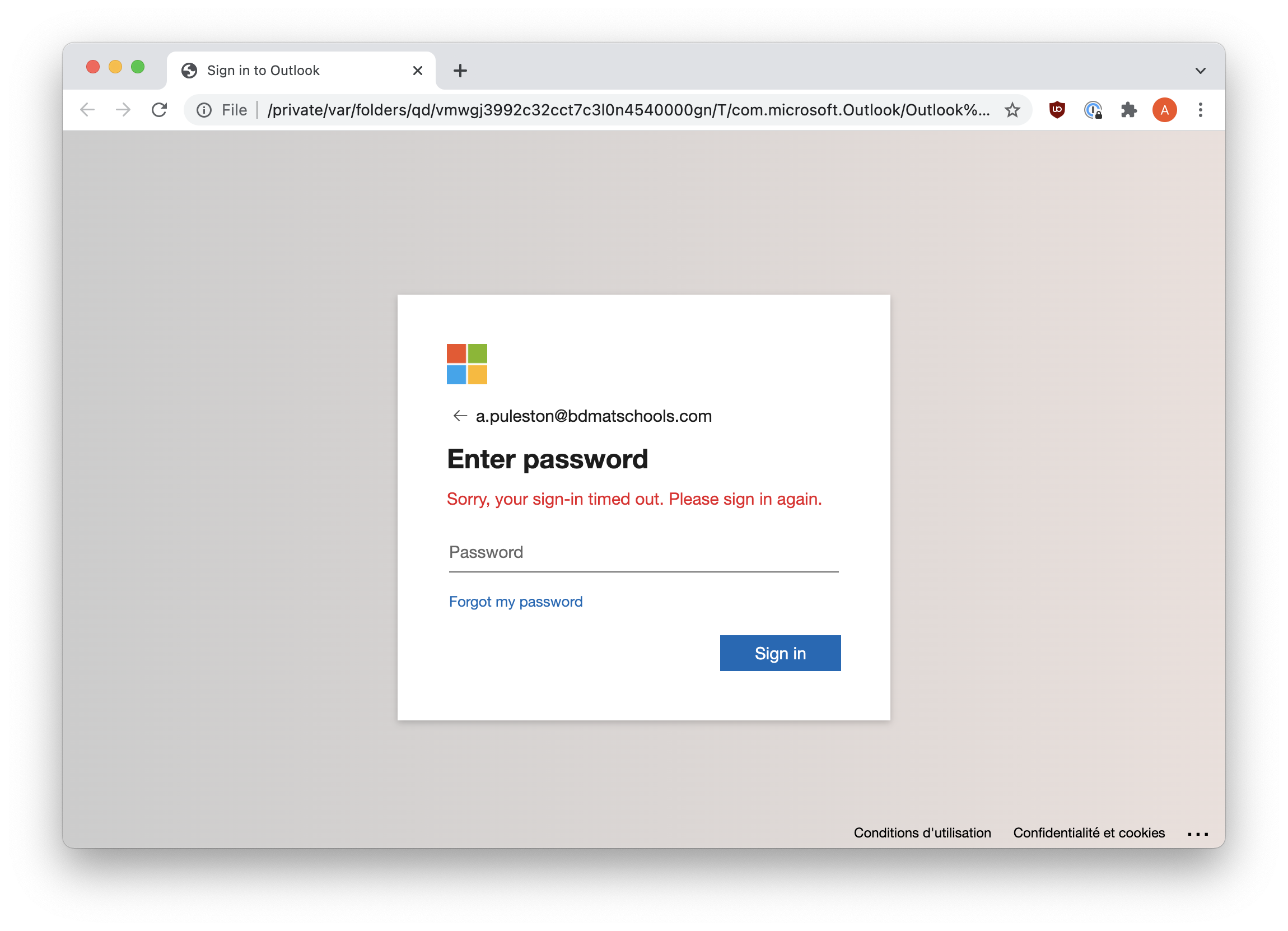
Checking the address bar shows that we are not actually signing in to https://login.microsoftonline.com/ and are instead signing in somewhere else. Entering your username and password on this page will send that data to cyber criminals who may then use it in further attacks.
What should you do?
Do not open attachments, or click on links unless you are totally confident that they are safe.
You can mark these emails as junk. This helps to train Microsoft's algorithms that detect phishing attacks and prevent them from reaching your inbox.
You can also forward these emails to the IT helpdesk (itsupport@bdmat.org.uk) to help us build rules that block them. In some cases we are able to add warnings to emails, or block them outright.
If you have opened an attachment and entered your password, please change your password immediately.
Comments
0 comments
Please sign in to leave a comment.