Skip to main content
Installing the Horizon App
Getting the App
- Download the Horizon App form either the Google Play store or the App Store.
- Accept the license agreement.
- Log in in with your Username and Client Password.
- When prompted for a phone number, enter the main school phone number.
Making Calls
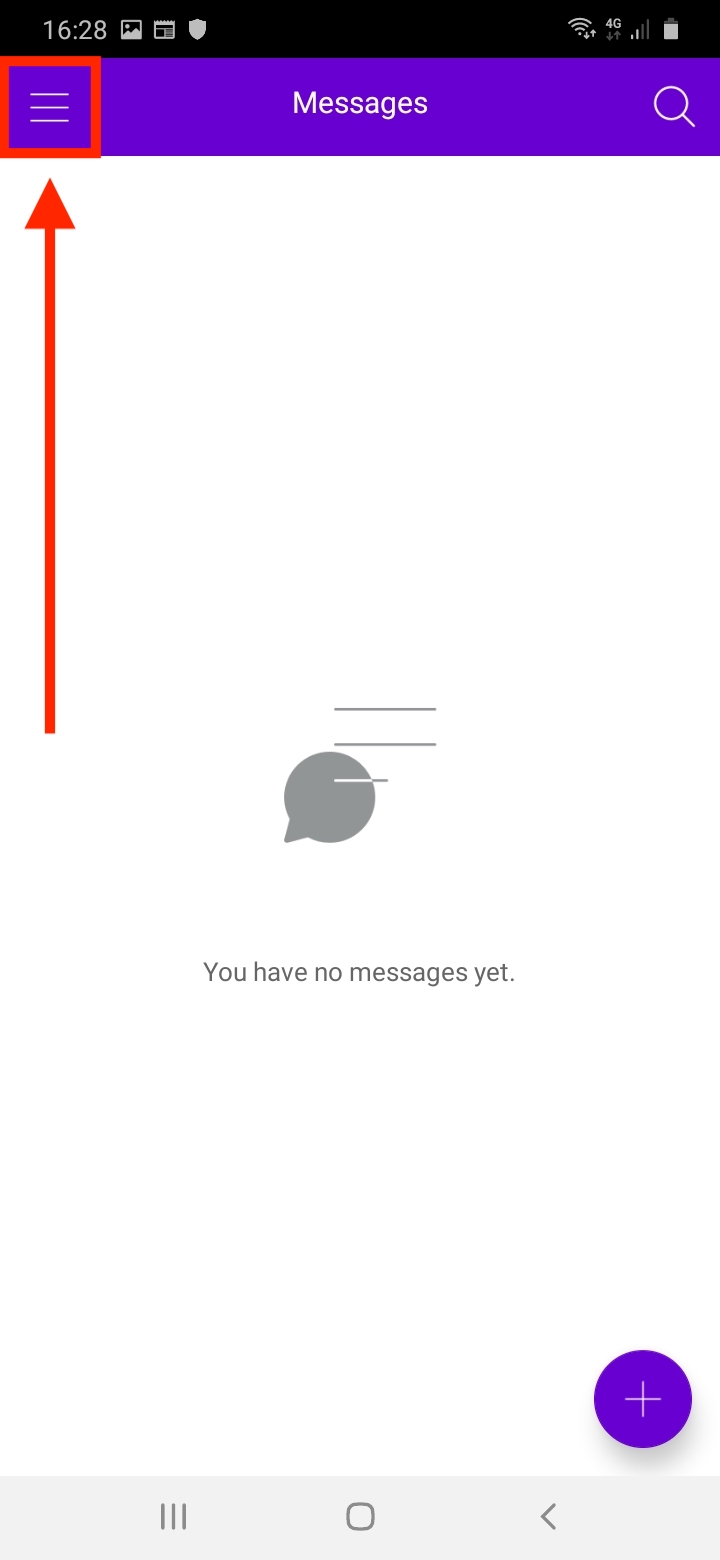
- Tap the menu icon in the top right.
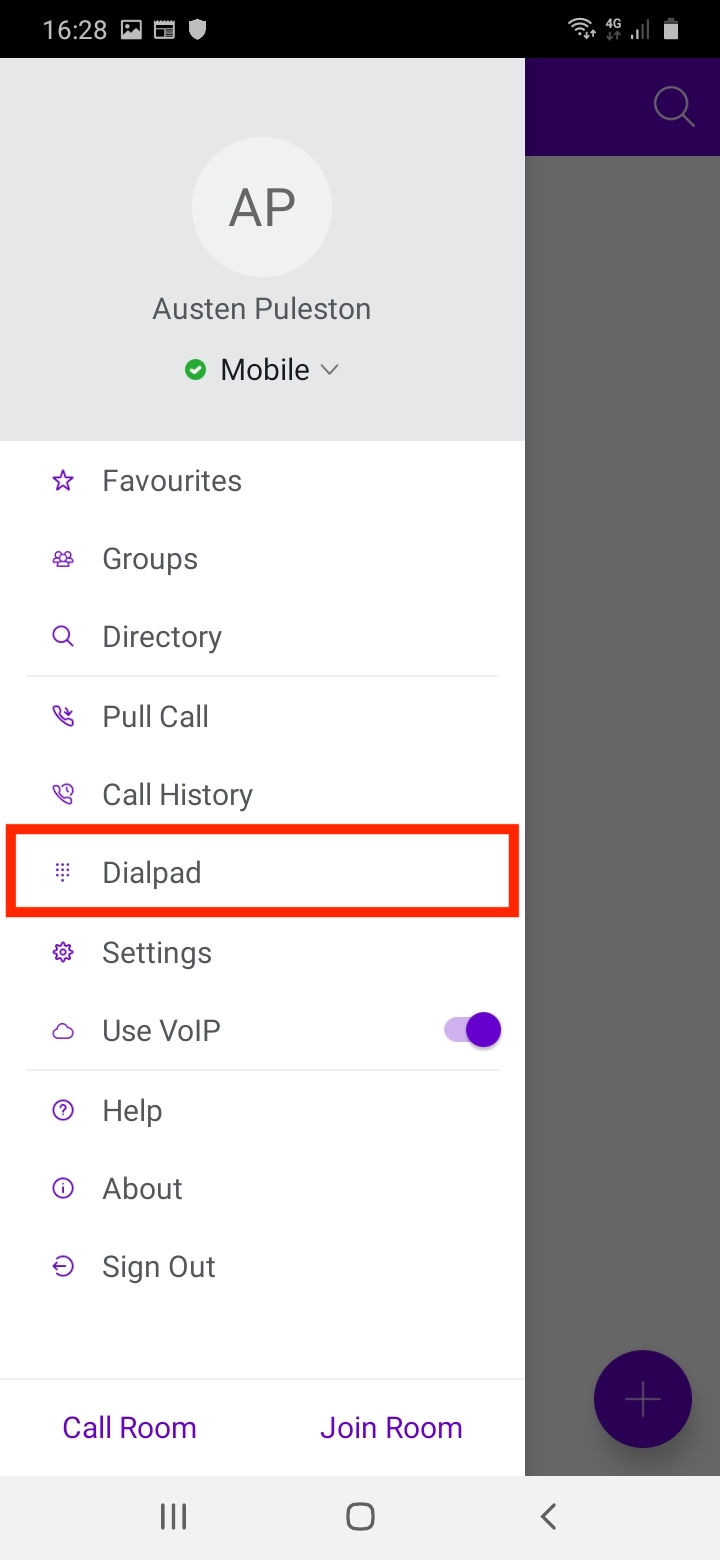
- Tap "Dial Pad".
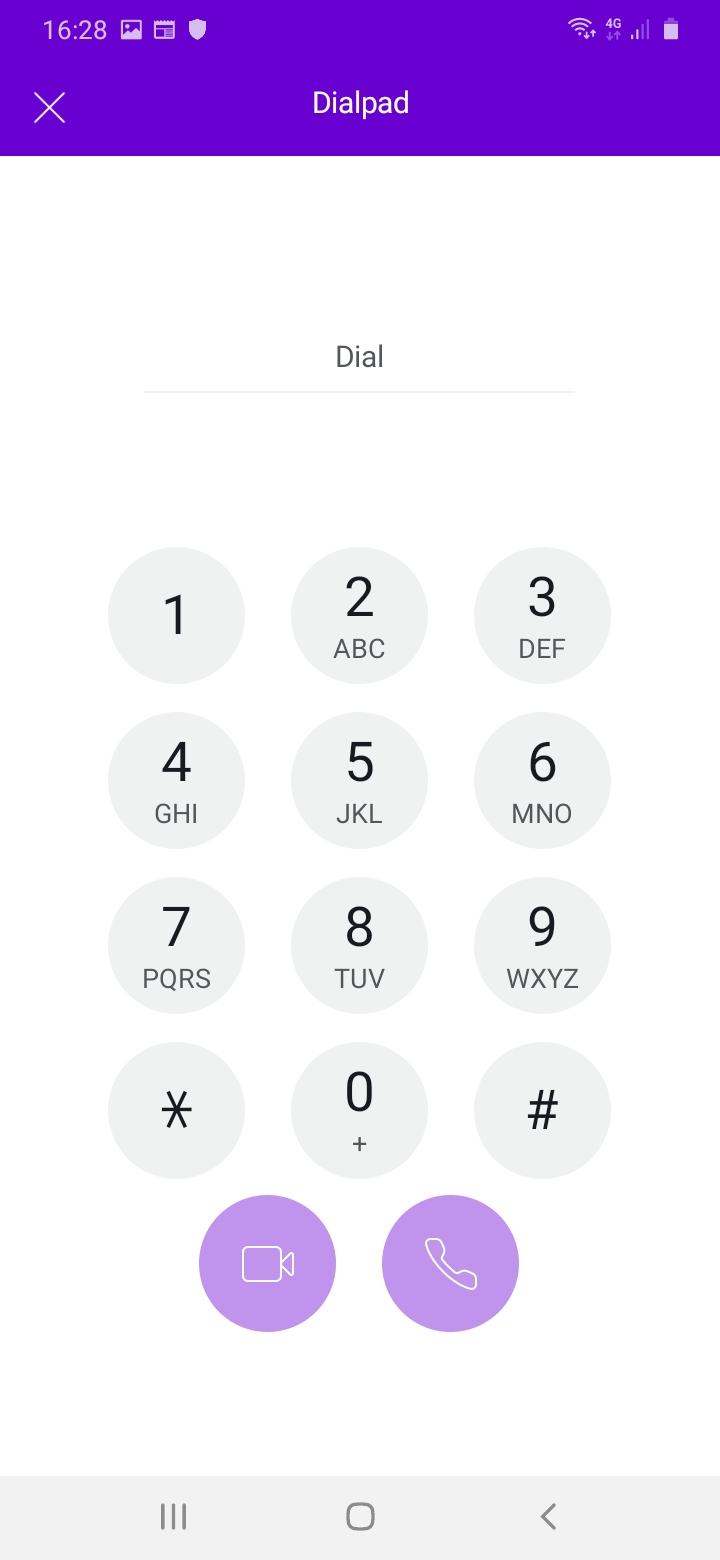
- Dial the number and make your call.

Comments
0 comments
Please sign in to leave a comment.