
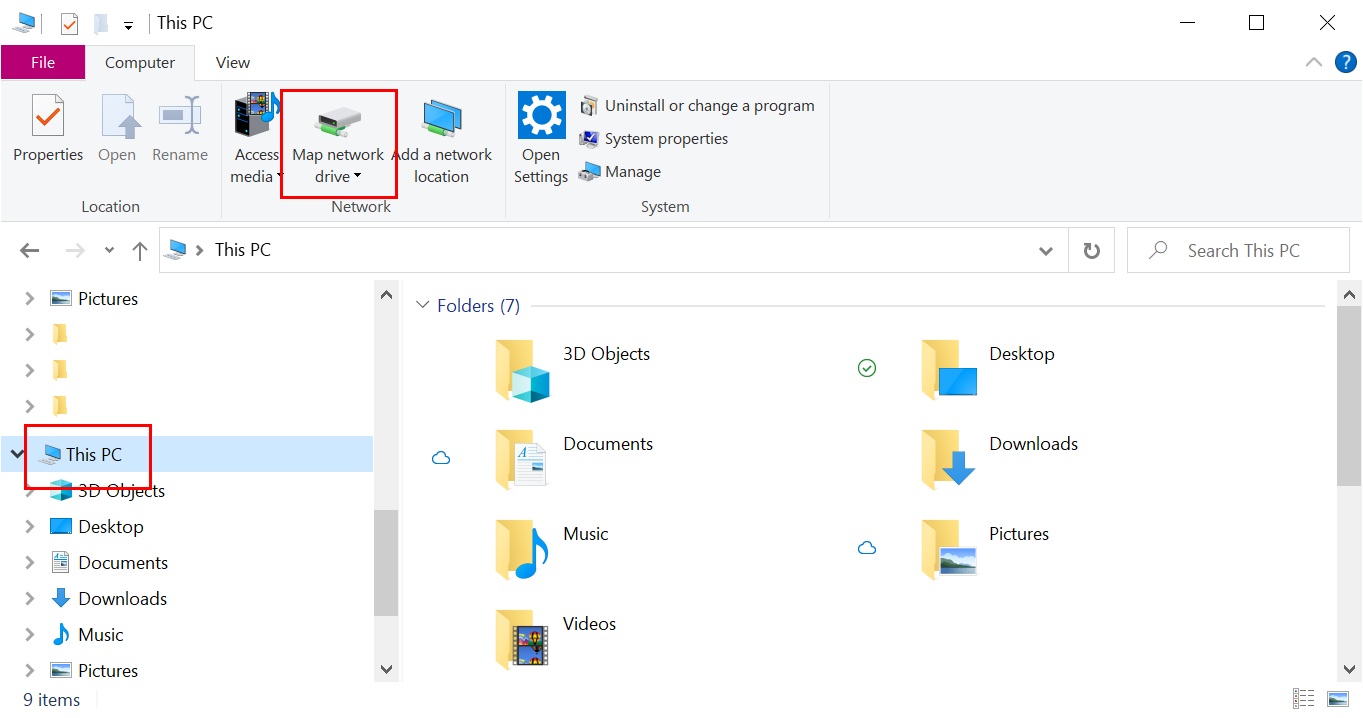
To map a network drive, open up a File Explorer window and select This PC from the folder list on the left. Then, in the top menu click Map network drive
Then enter the network path (see below on how to find the network path) and select whichever letter you'd like to assign to the drive.
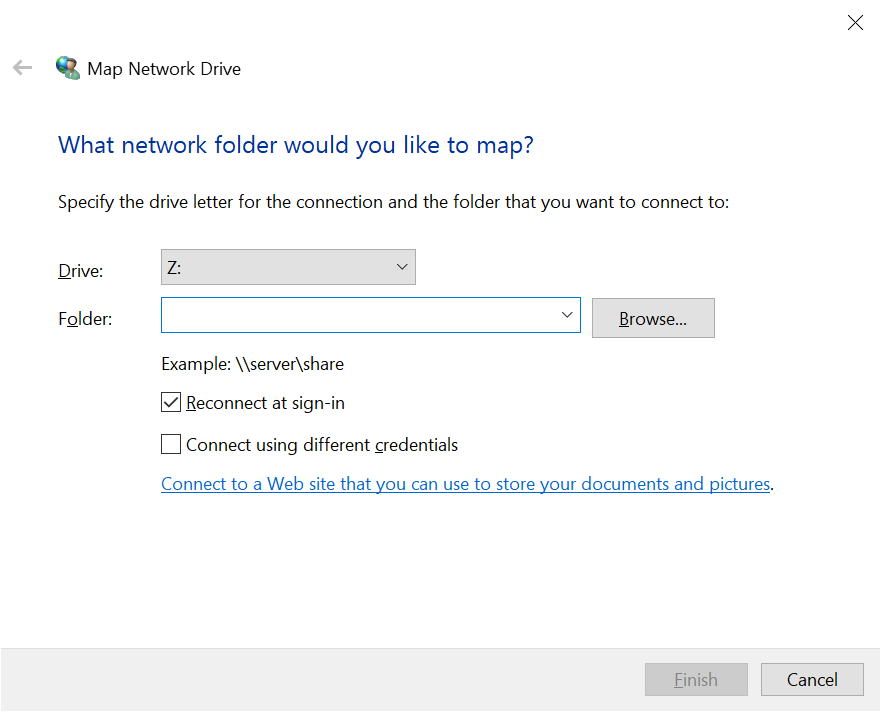
Click on Finish and you will see the drive listed.
How to find a network path
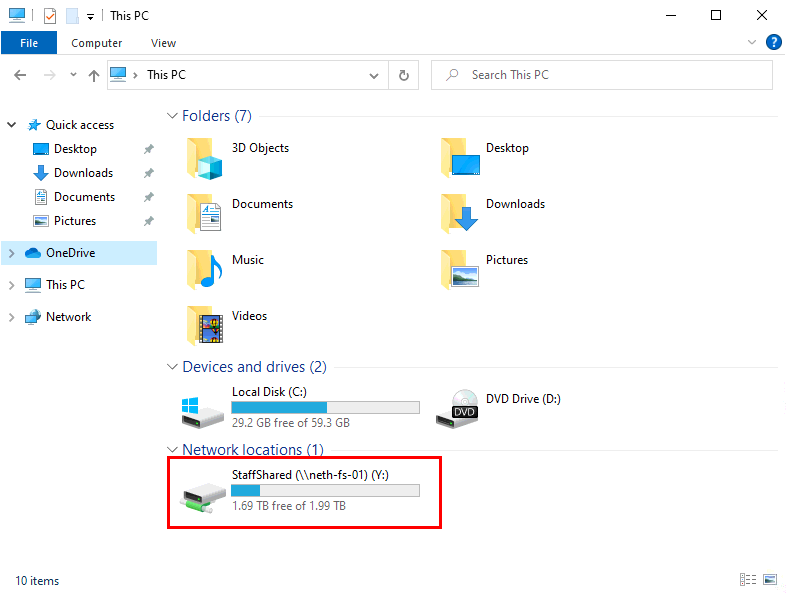
To find a network path if you're unsure, find a colleague who already has the network drive listed on their computer that you need and check to see the full name of it listed under Network locations (see above image)
In the example above we have StaffShared (\\neth-fs-01), the network path just has the name of the folder at the end instead, so this becomes:
\\neth-fs-01\StaffShared
Comments
0 comments
Article is closed for comments.