
To add a shared calendar to Outlook, complete the following steps.
- Log on to Outlook.
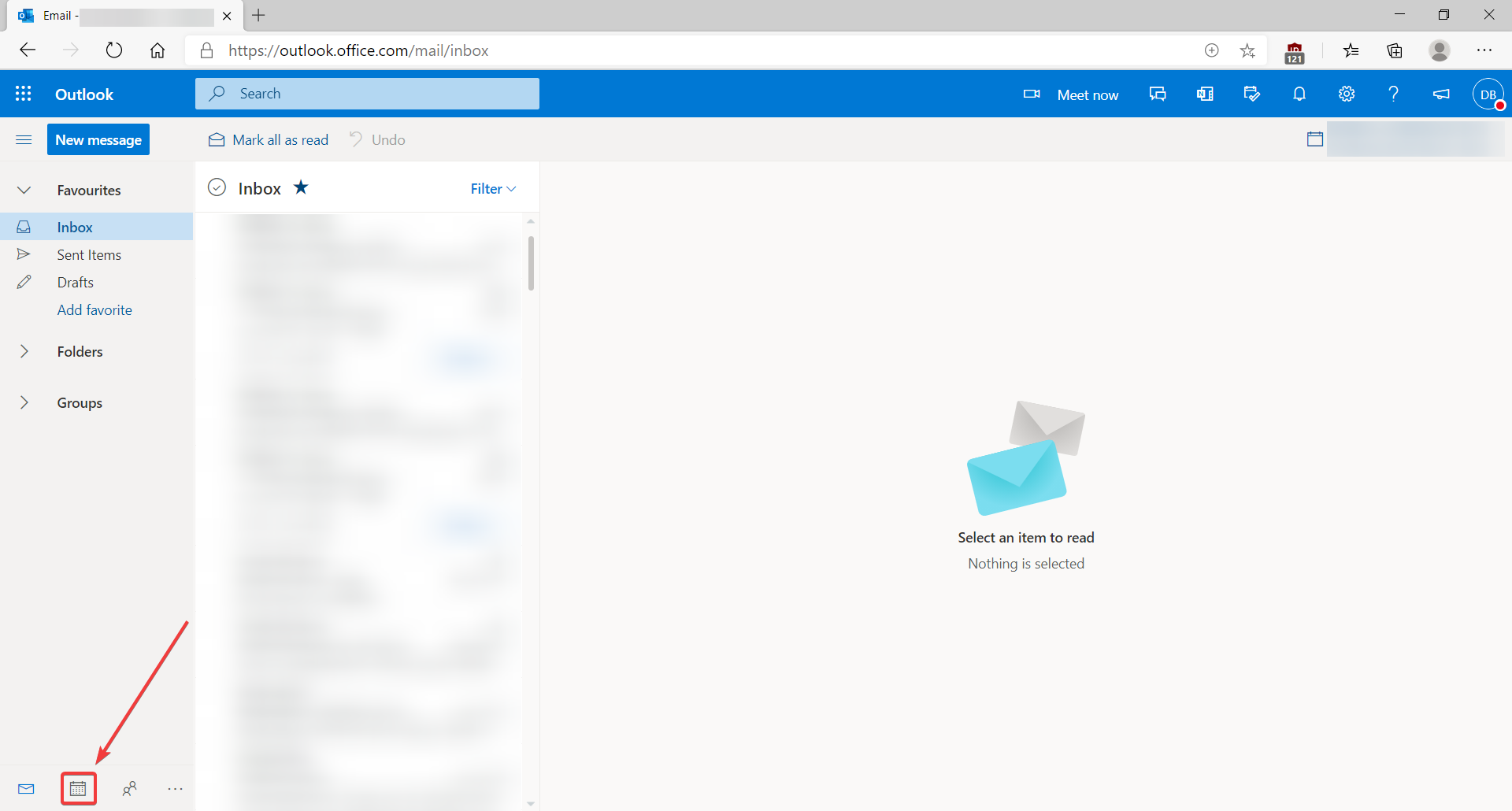
- Click on the calendar icon in the bottom left corner.
- Click on Add calendar.

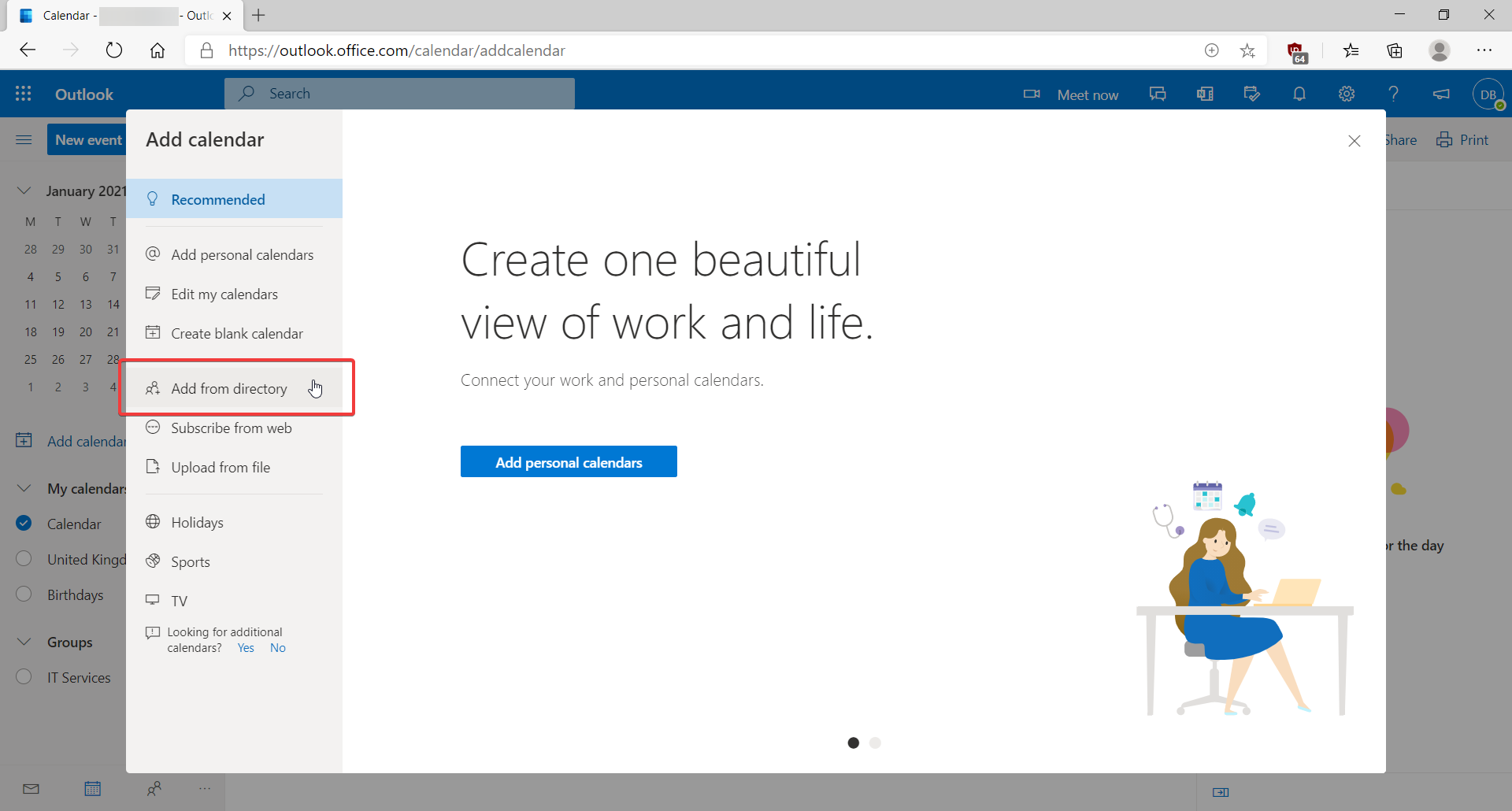
- Click on Add from directory.
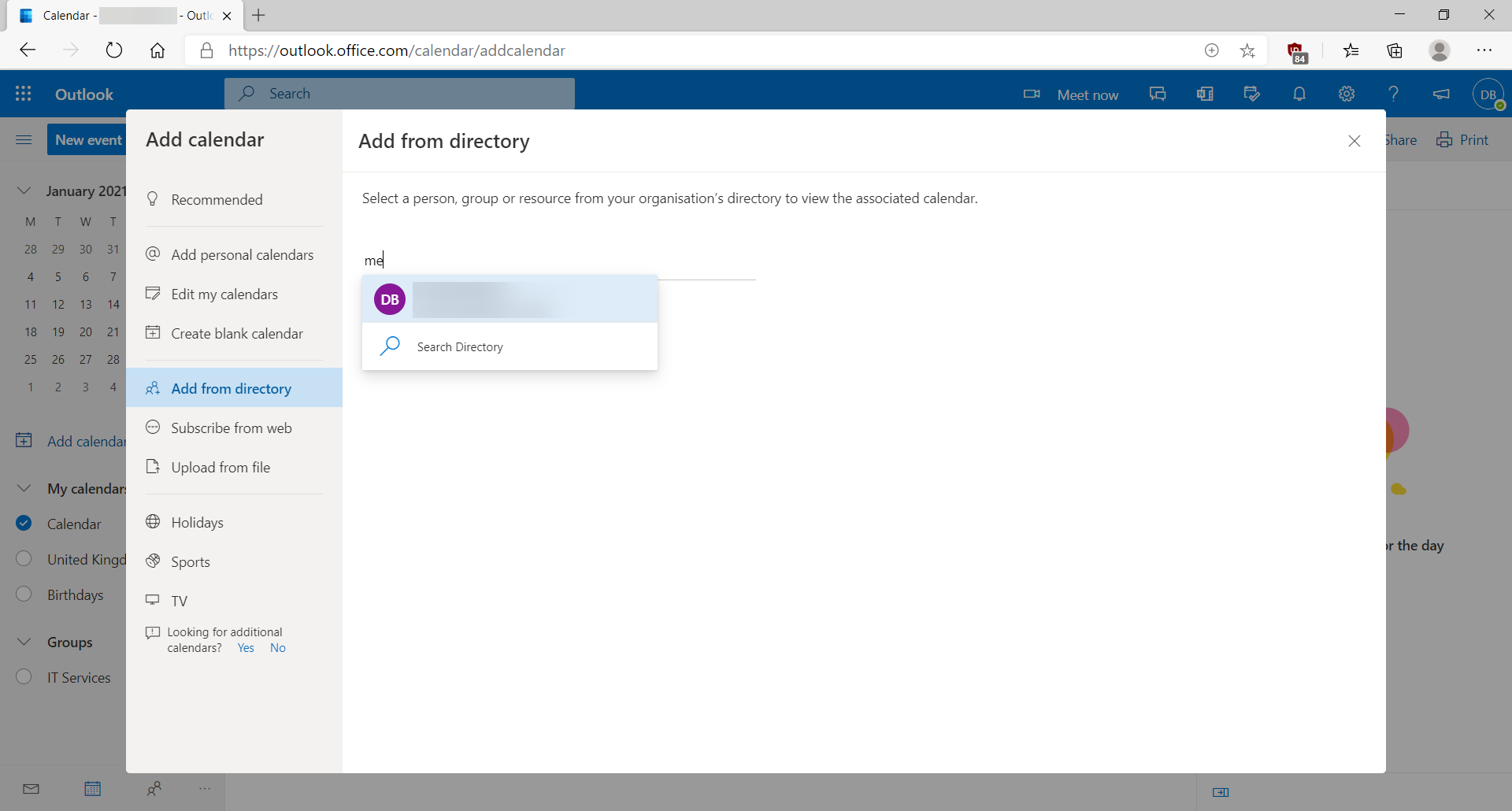
- Enter the calendar you would like to open. You can select it from the drop down list that appears as you type.
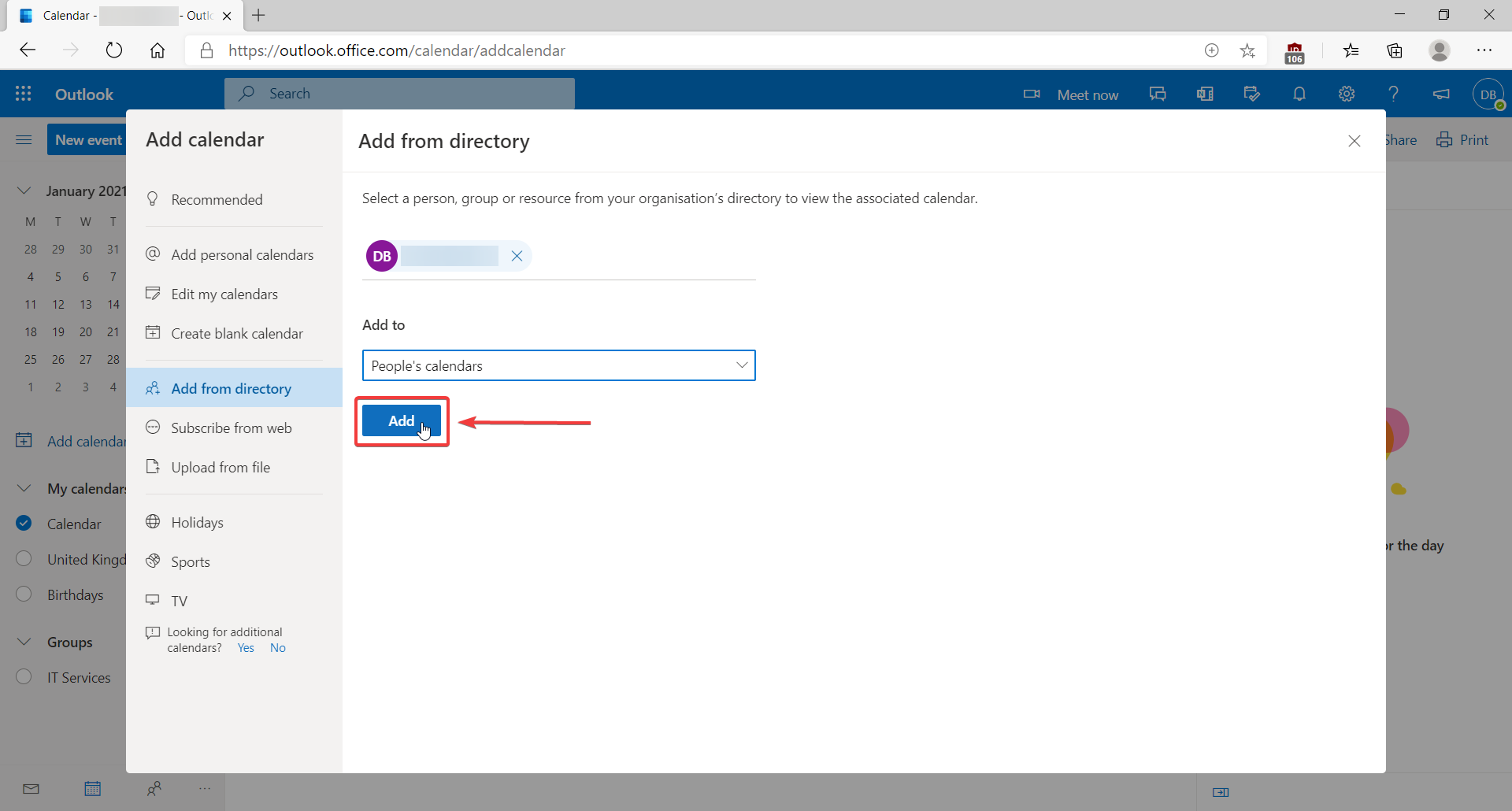
- Click Add.
- After a few seconds, Outlook will load your calendar.
Comments
0 comments
Please sign in to leave a comment.