
Google Chrome
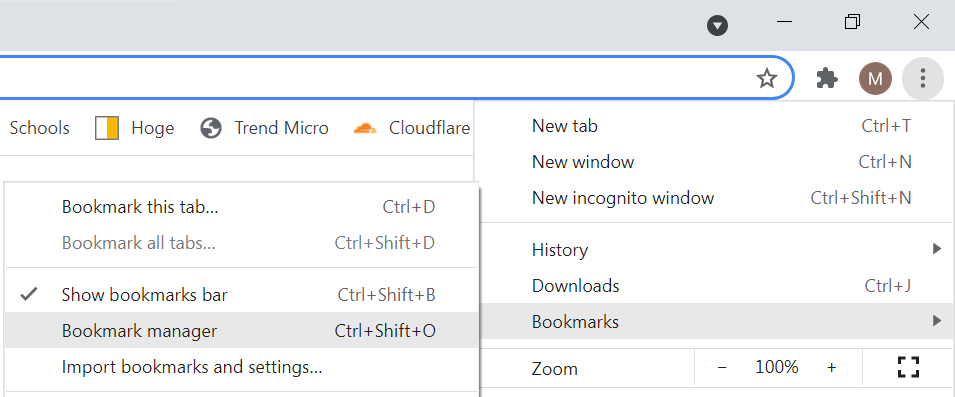
In Google Chrome, click on the three dots in the top right, then in the menu select Bookmarks and then Bookmark manager.
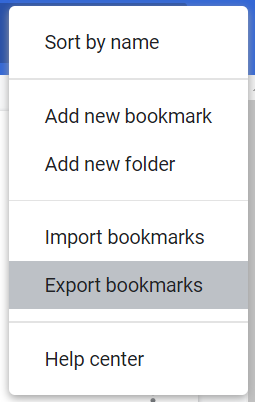
In the Bookmarks screen again click the three dots in the top right.

And in the next menu select Export bookmarks.
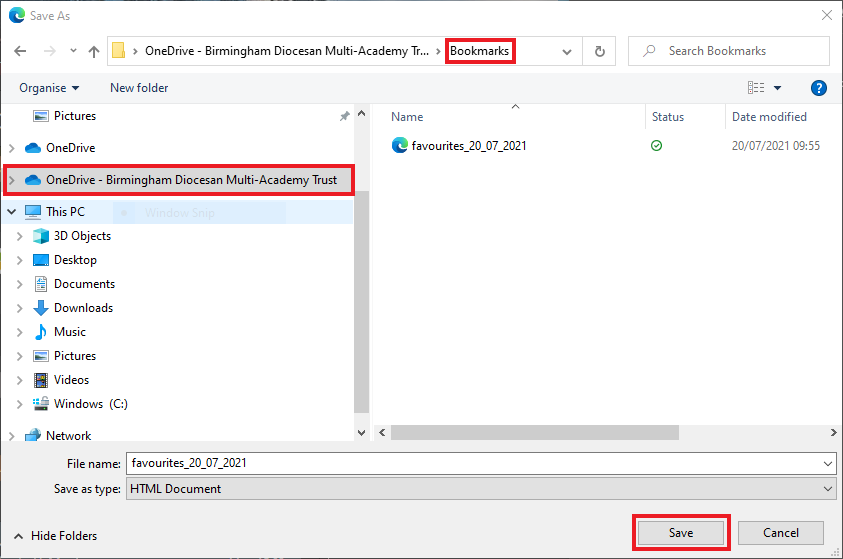
Then save this file to your OneDrive to ensure it is kept safe.
Microsoft Edge
Open Edge on your computer, the shortcut for Edge can usually be located on the bottom taskbar or on your desktop, look for the below icon:
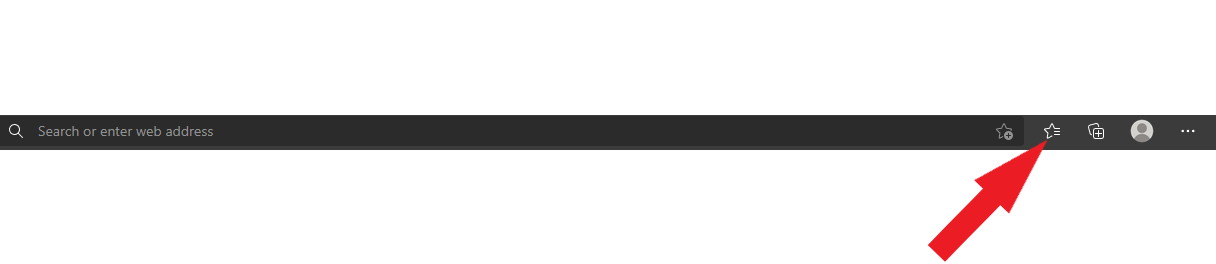
In the upper right corner of the Edge browser click the speeding star.
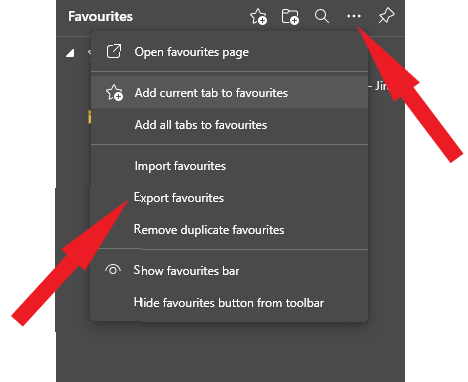
Click the three dots and then in the menu select the Export favourites button.
Lastly, save the HTML file with your bookmarks on. We recommend making a bookmarks/favourites folder in your OneDrive and saving it there.
Comments
0 comments
Article is closed for comments.