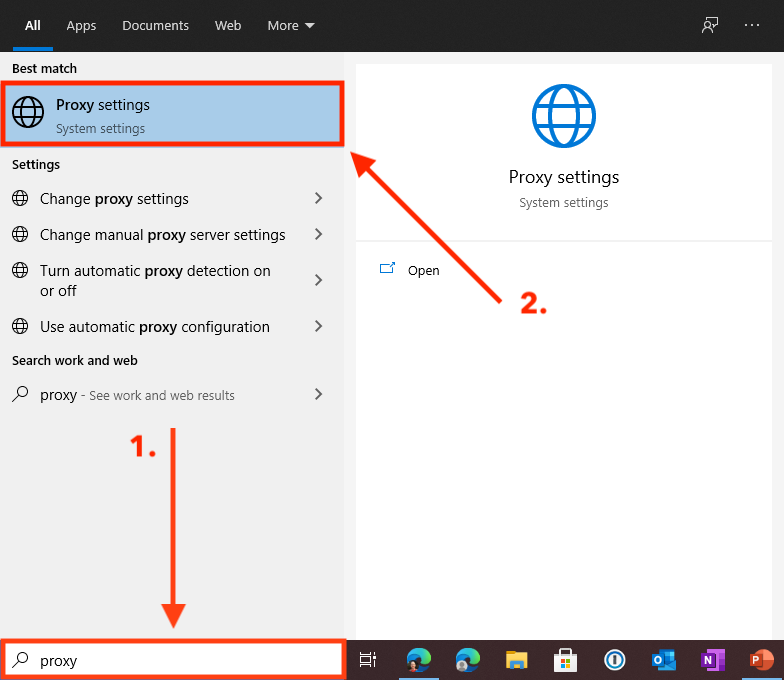
In the search bar, type "Proxy" and then click on "Proxy settings".
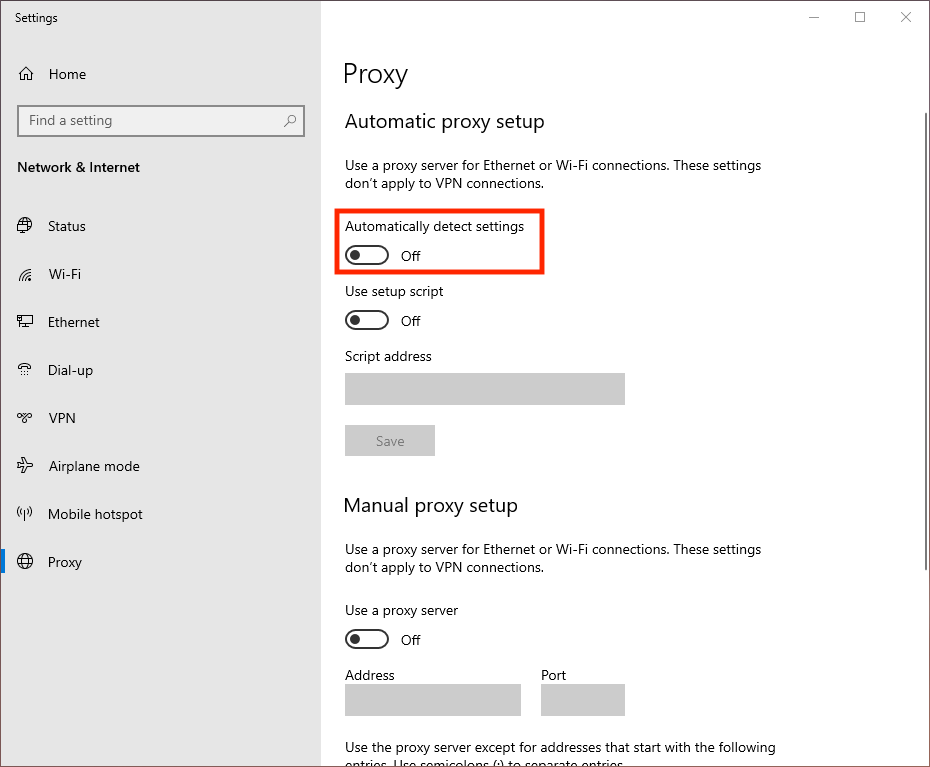
Turn off the "Automatically detect settings" option.

In the search bar, type "Proxy" and then click on "Proxy settings".
Turn off the "Automatically detect settings" option.
Comments
0 comments
Please sign in to leave a comment.