
Microsoft Teams allows you to choose a custom background when taking part in video calls and video meetings. When joining a meeting, follow the steps below to set your background.
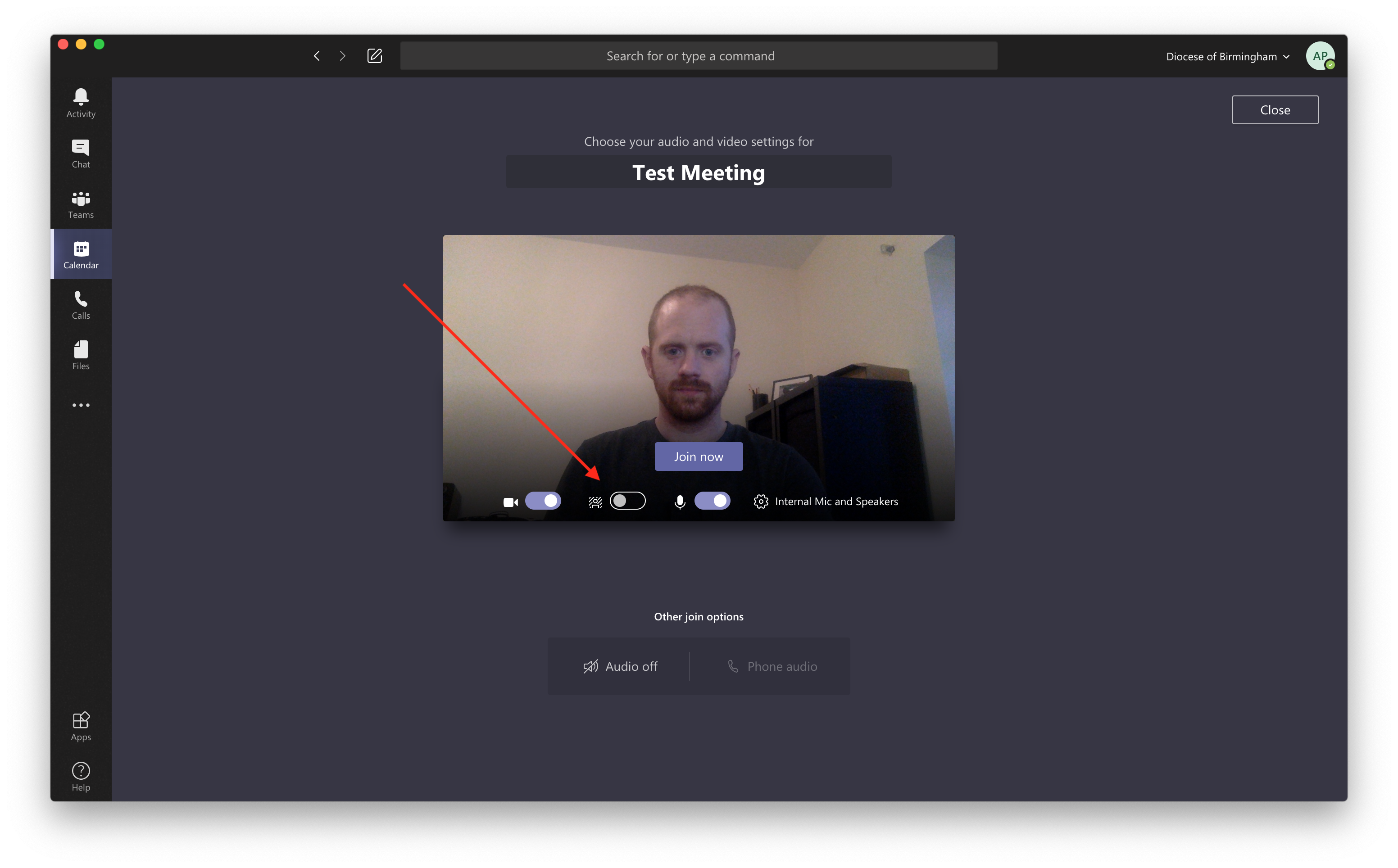
- Click on the background effects button.
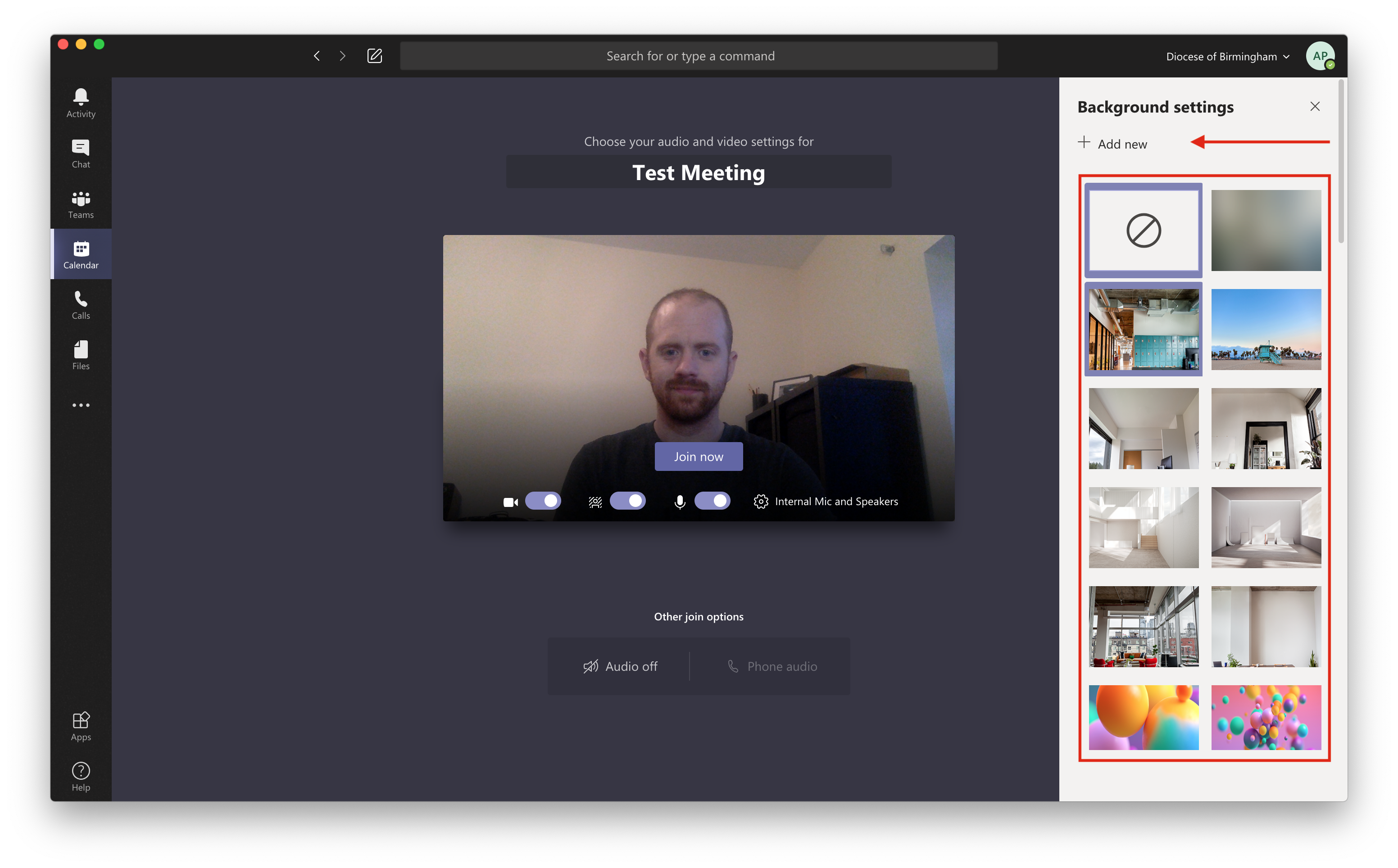
- Either choose one of the default background effects or, if you have your own image you would like to use, you can click "+ Add new".
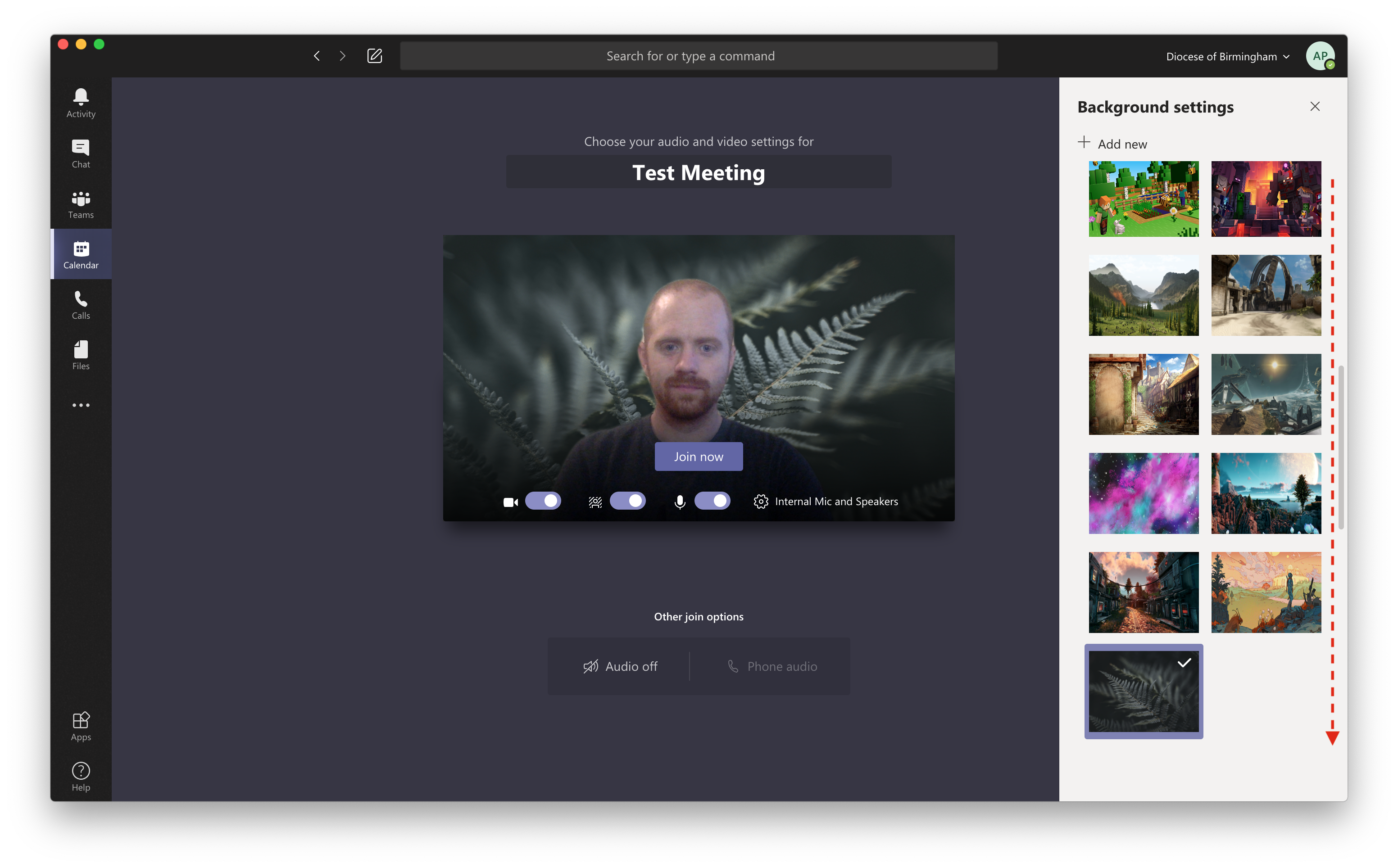
- New images that you add will show up at the bottom of the list. Scroll down, then click on them to use them.
Note: For BDMAT Central Team staff, we have a collection of backgrounds available here for you to use.
Comments
0 comments
Please sign in to leave a comment.