
Zoom allows you to choose a custom background when taking part in video calls and video meetings. When joining a meeting, follow the steps below to set your background.
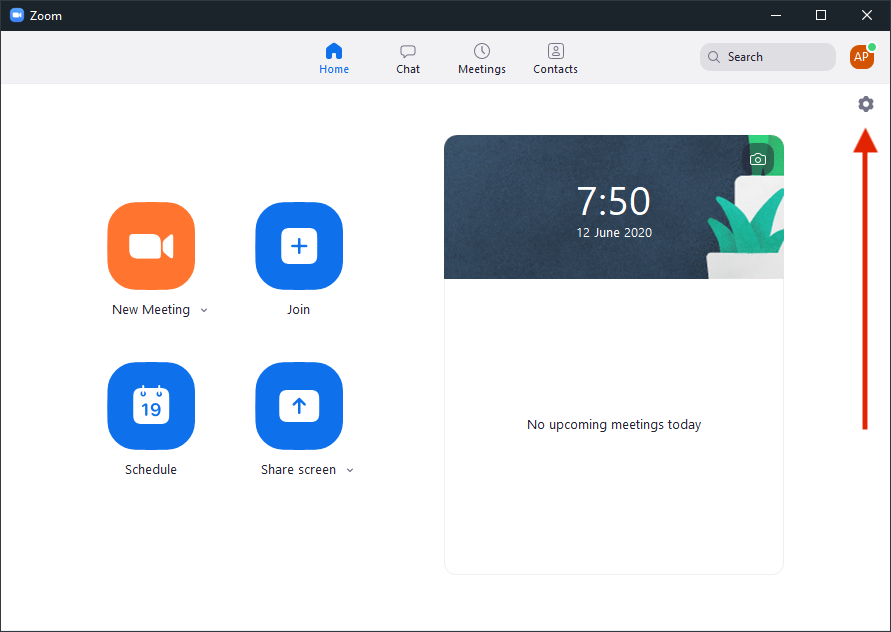
- Click on the settings icon
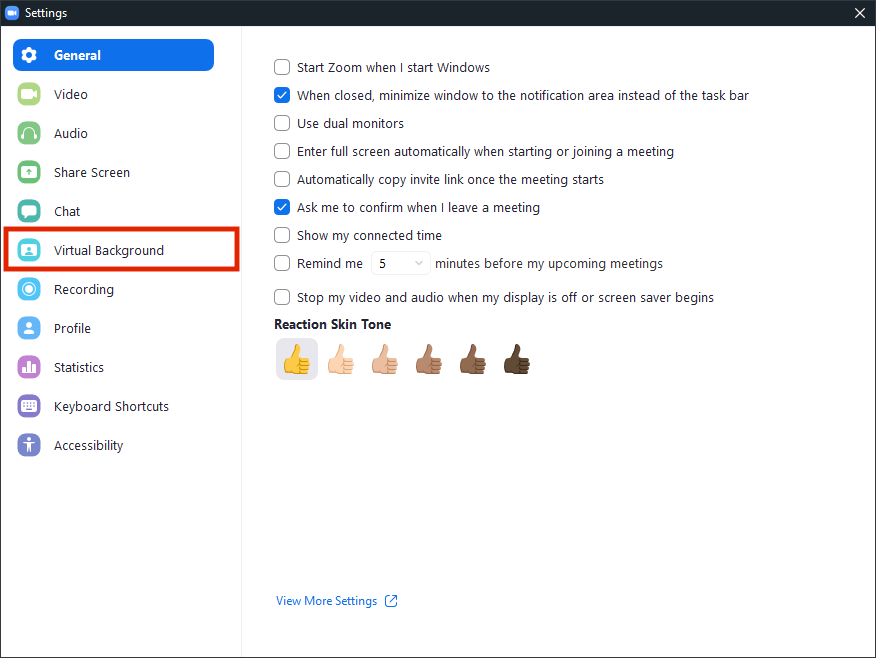
- Click on "Virtual Background"
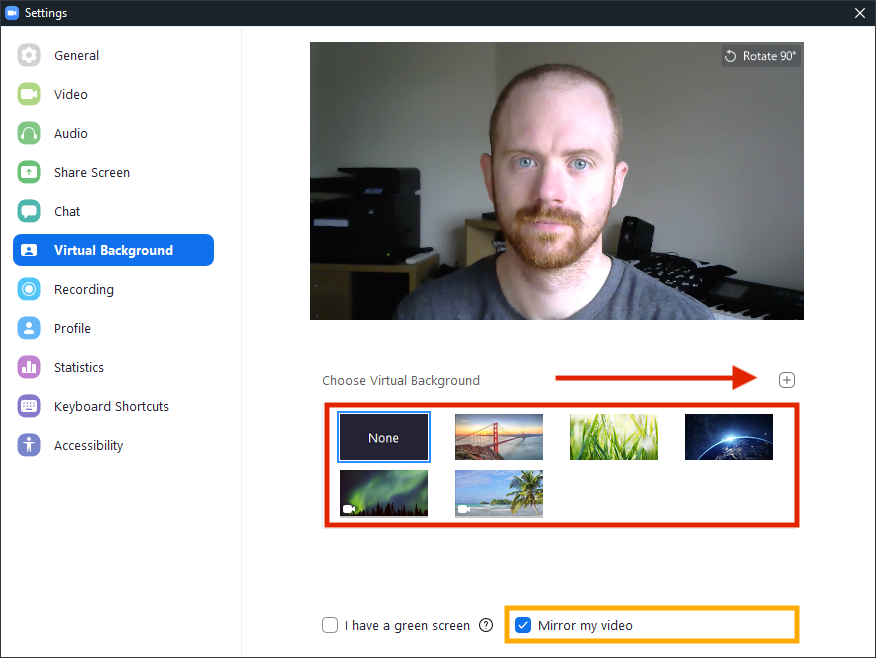
- Select your virtual background from the default images, or add your own by clicking the "+" button. If your background has writing on it, you may need to untick the "Mirror my video" option.
Note: For BDMAT Central Team staff, we have a collection of backgrounds available here for you to use.
Comments
0 comments
Please sign in to leave a comment.